
You open your computer, ready to play that action RPG you bought during a holiday sale. First, you check Steam. Not there. You open the Epic Games Store. Not there either. Ten minutes later, you finally locate it hidden within GOG Galaxy, but your gaming momentum has already faded.
If this scenario sounds familiar, you understand the frustration of a fragmented digital gaming collection. As digital storefronts multiply, keeping track of your purchases becomes a serious headache. You need a dedicated solution to unify your collection and bring order to the chaos.
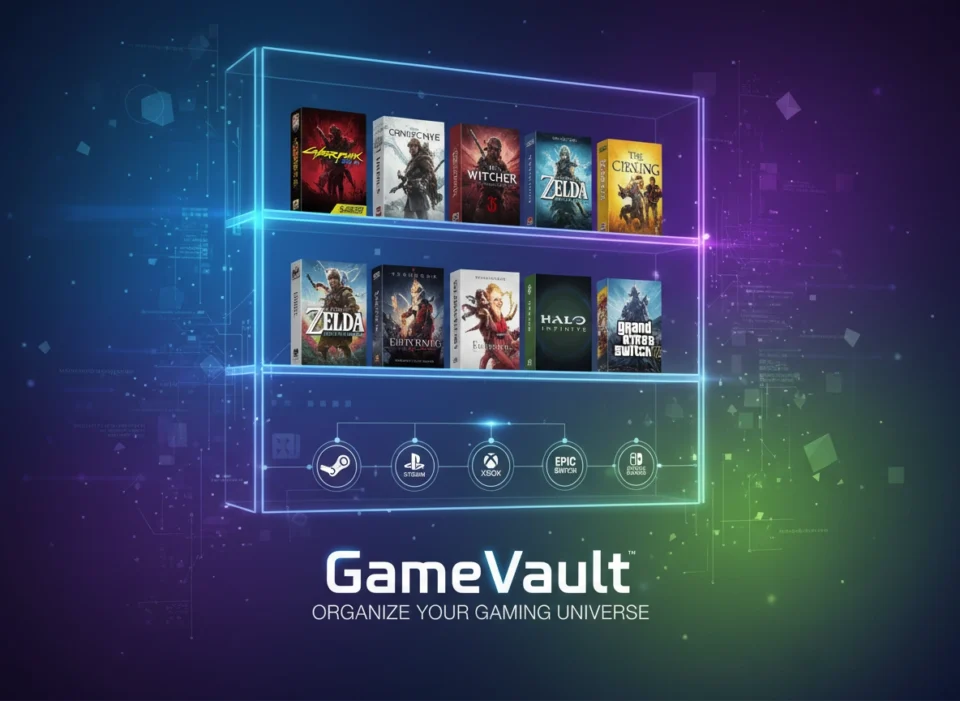
Enter Gamevault. This platform serves as a central hub for all your titles, transforming a messy hard drive into a beautifully curated digital arcade. In this article, we will explore exactly how Gamevault keeps your gaming library organized, from its intuitive interface to its advanced cloud synchronization.
The Challenge of Digital Game Management
Most players no longer buy physical discs. We build massive digital collections spread across half a dozen launchers and storefronts. While this transition offers unmatched convenience, it completely breaks traditional organization.
You cannot arrange digital files on a physical shelf. Instead, you must rely on the limited sorting tools provided by individual software clients. These clients rarely talk to each other. They force you to memorize where you purchased each specific title. Furthermore, independent games and classic emulated titles often sit in random folders on your desktop, completely detached from your main ecosystem.
Gamevault solves this exact problem. It acts as a universal bridge, pulling everything into one unified, visually appealing space. You regain control over your purchases and spend less time searching and more time actually playing.
A User-Friendly Interface Built for Gamers
An organizational tool only works if people actually want to use it. Gamevault features a sleek, intuitive interface designed specifically for gaming enthusiasts. You do not need a degree in computer science to set it up.
When you first launch the application, you see a clean, distraction-free grid of your games. The software eliminates the heavy advertising and community clutter found on standard store launchers. Instead, it places your actual collection front and center.
The navigation menus are crisp and logical. You can switch between grid views, list views, and detailed breakdowns with a single click. Every visual element serves a clear purpose, guiding your eye directly to the information you need. Whether you want to launch a game, check your total playtime, or update a file path, the interface makes the process completely frictionless.
Advanced Categorization Options
True organization goes far beyond basic alphabetical sorting. Gamevault provides a robust suite of categorization tools that allow you to structure your library exactly how your brain works.
Custom Tags and Filters
Different players categorize their libraries in different ways. Some sort by genre, while others sort by completion status or multiplayer capabilities. Gamevault handles all these preferences through an extensive tagging system.
You can assign multiple tags to a single game. For example, you might tag a specific title as “RPG,” “Co-op,” and “Backlog.” Later, when you want to play a cooperative role-playing game with a friend, you simply apply those filters. Gamevault instantly hides everything else, presenting you with a curated list of exact matches.
Smart Playlists and Tracking
Sometimes you want the software to do the heavy lifting. Gamevault includes smart playlist functionality that automatically updates based on your behavior. You can set up dynamic lists that track your recently played games, your most frequently played games, or titles you recently added to the system.
The platform also allows you to track your actual progress. You can mark games as “Playing,” “Completed,” or “Abandoned.” This visual progress tracking prevents you from starting five different massive role-playing games at once. It helps you focus on your current adventures and gives you a satisfying sense of accomplishment when you finally move a game to the “Completed” pile.
Seamless Cloud Synchronization
Modern players rarely limit themselves to a single piece of hardware. You might play on a powerful desktop rig in your home office, a gaming laptop on the couch, and a handheld PC while traveling. Keeping your library synchronized across all these devices used to require manual file transfers and complicated network sharing.
Access Your Library Anywhere
Gamevault changes the equation with powerful cloud synchronization capabilities. The platform ensures your library data remains consistent across every device you own.
When you add a new game, update a tag, or change a piece of cover art on your desktop, Gamevault automatically pushes those changes to the cloud. The next time you open your laptop, your library reflects those exact updates. You never have to organize the same collection twice.
This synchronization extends to your save files and configuration settings where applicable. You can start a campaign on your main monitor and seamlessly pick up where you left off on your portable device. The cloud handles the complex background work, leaving you free to enjoy your games without technical interruptions.
Standout Features That Elevate Gamevault
While unifying launchers and syncing data are fantastic core features, Gamevault offers several specialized tools that push it ahead of basic organizational software.
Automated Meta-Data Scraping
A text-based list of games looks incredibly boring. Gamevault brings your library to life by automatically downloading rich metadata for every title you add.
When you import a game, the software scans online databases to pull high-resolution cover art, background images, release dates, developer information, and detailed synopses. Suddenly, that random executable file in your downloads folder transforms into a premium, store-quality entry in your library. You can customize this artwork manually if you prefer a specific aesthetic, giving you complete visual control over your digital shelf.
robust Offline Support
Many modern gaming clients refuse to function properly without an active internet connection. If your internet goes down, you lose access to the single-player games you rightfully own.
Gamevault respects your ownership. The software features robust offline support, allowing you to browse your complete library and launch your local games without pinging an external server. Your organization system remains fully intact, complete with all your custom tags and downloaded artwork, regardless of your network status.
Privacy and Data Control
In an era where tech companies harvest every piece of user data, Gamevault takes a refreshing approach to privacy. Because it operates as a self-hosted or locally managed platform, you maintain absolute control over your information.
The software does not track your viewing habits to serve you targeted advertisements. It simply manages the files you tell it to manage. Your gaming habits, playtime statistics, and library contents remain entirely your business.
Conclusion: Level Up Your Library Management
Managing a massive digital game collection does not have to feel like a second job. By utilizing the right tools, you can transform a chaotic mess of files and launchers into a streamlined, easily navigable arcade.
Gamevault achieves this through a perfect blend of visual design and technical functionality. Its user-friendly interface strips away unnecessary store clutter. Its deep categorization options allow you to build custom tags and track your backlog progress. Meanwhile, robust cloud synchronization ensures your curated library follows you to any device you choose to play on.
Stop wasting your valuable free time hunting for executable files across multiple storefronts. Take control of your digital purchases, organize your collection with Gamevault, and get back to doing what actually matters: playing your games.
Please visit the official site for more info.
